

A TSV file (Tab-Separated Values) is a plain text file that stores tabular data — the same idea as CSV, but using tab characters (\t) to separate fields instead of commas.
Open a TSV file in a text editor and it looks like this:
FirstName	LastName	Email	City
John	Doe	john@email.com	New York
Jane	Smith	jane@email.com	Los Angeles
Those gaps between fields are tabs, not spaces. The structure is identical to a CSV file — a header row followed by data rows — just with a different delimiter.
CSV vs TSV: The Key Difference
| Feature | CSV (.csv) | TSV (.tsv) |
|---|---|---|
| Delimiter | Comma (,) | Tab (\t) |
| File extension | .csv | .tsv (also .txt sometimes) |
| Handles commas in data | ⚠️ Needs quoting | ✅ No quoting needed |
| Handles tabs in data | ✅ No quoting needed | ⚠️ Needs quoting |
| Software support | Universal | Very wide (slightly less common) |
| Human readability | Good | Good (tabs create visual alignment) |
| Programming support | Excellent | Excellent |
The choice between TSV and CSV comes down to one question: what characters appear in your data?
The rule of thumb: Use TSV when your data frequently contains commas (like addresses, product descriptions, or currency values). Use CSV when your data contains tabs (rare in practice).
Why TSV Exists: The Comma Problem
CSV has a fundamental weakness: commas are extremely common in everyday text.
Consider an address field: 123 Main St, Suite 4B. If you put that in a CSV without quoting it:
Name,Address,City
John Doe,123 Main St, Suite 4B,New York
Most CSV parsers will read Suite 4B as a separate column — your data now has 4 columns instead of 3.

The fix is quoting: wrap fields with commas in double quotes.
Name,Address,City
John Doe,"123 Main St, Suite 4B",New York
This works, but it adds complexity. Every CSV generator needs to check for commas and add quotes. Every CSV parser needs to handle quoted fields, escaped quotes inside quoted fields, and edge cases like newlines inside quoted fields.
TSV sidesteps this entirely. Tabs are rarely found in regular text data — addresses, names, descriptions, and numbers almost never contain tab characters. Using tab as a delimiter means most data passes through without any quoting needed.
When to Use TSV vs CSV
Use TSV when:
- Your data contains lots of commas (free-text fields, addresses, descriptions)
- You're working with databases or tools that default to tab-separated exports
- You want simpler parsing logic (no quoting edge cases)
- You're exporting from databases like MySQL or PostgreSQL (their default export format is often TSV)
Use CSV when:
- You need the widest possible compatibility (CSV is more universally recognized)
- Your data contains tab characters (unusual, but possible in some cases)
- You're importing into a specific system that only accepts CSV
- You're following an existing format standard that specifies CSV
The honest answer for most use cases: If your toolchain accepts both, TSV is technically cleaner. In practice, CSV is more universally understood, so many people default to it even when TSV would be the better choice.
How to Open a TSV File
TSV files open in the same programs that handle CSV:
In Google Sheets:
- Go to File → Import
- Upload your TSV file
- In the import settings, set Separator type to "Tab"
- Click Import data
In Microsoft Excel:
- Go to Data → From Text/CSV
- Select your TSV file
- Excel usually detects tabs automatically; if not, select "Tab" as the delimiter in the import wizard
In a text editor: Any text editor (VS Code, Notepad, TextEdit) opens TSV files as plain text. The columns won't be formatted nicely, but you can read and edit the raw data.
In Python:
import csv

with open('data.tsv', 'r') as file:
    reader = csv.reader(file, delimiter='\t')
    for row in reader:
        print(row)
Or with pandas:
import pandas as pd
df = pd.read_csv('data.tsv', sep='\t')
How to Convert Between TSV and CSV
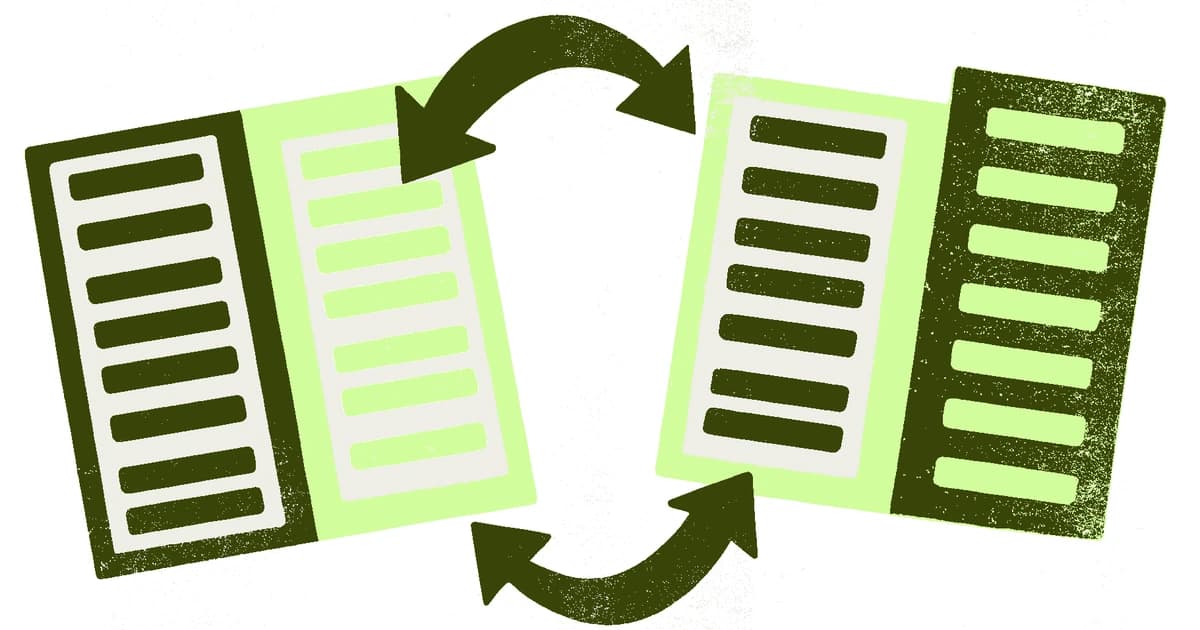
TSV to CSV (online, free)
Use our free TSV to CSV converter. Paste or upload your TSV file, click Convert, and download the CSV result. No signup, no upload to a server — it runs entirely in your browser.
CSV to TSV (online, free)
Use our free CSV to TSV converter. Upload your CSV file and get a TSV back in seconds.
Manually in a text editor
Open the TSV file in a text editor that supports find-and-replace with special characters (VS Code, Sublime Text, Notepad++). Replace all tab characters with commas. For simple files without commas in the data, this works perfectly.
In Python
import csv

def tsv_to_csv(input_file, output_file):
    with open(input_file, 'r') as tsv, open(output_file, 'w', newline='') as csv_out:
        reader = csv.reader(tsv, delimiter='\t')
        writer = csv.writer(csv_out)
        writer.writerows(reader)

tsv_to_csv('data.tsv', 'data.csv')
TSV in Databases and Analytics
TSV (or its functional equivalent — tab-delimited text) is common in database exports. MySQL's LOAD DATA INFILE command, PostgreSQL's COPY command, and many SQL Server export utilities default to tab-delimited output.
If you're pulling data from a database and seeing .txt files with tab-separated data, you're looking at TSV. Rename the extension to .tsv or configure your parser to use tab as the delimiter.
In data science and bioinformatics, TSV is especially common. Genome sequencing data, gene expression files, and many scientific datasets are distributed as TSV because the data often contains numeric values with decimal commas (common in European locales) and text fields with natural-language content.
TSV vs Other Delimiter-Separated Formats
Beyond CSV and TSV, you'll occasionally encounter other delimiter-separated formats:
| Format | Delimiter | Common Use Case |
|---|---|---|
| CSV | Comma | General data exchange |
| TSV | Tab | Database exports, scientific data |
| PSV | Pipe (|) | Data with commas and tabs |
| SSV | Semicolon | European locale CSV (decimal comma regions) |
Semicolon-delimited files are particularly common when data was exported from software set to a European locale, where commas serve as decimal separators. Many people are surprised to find that their "CSV" file uses semicolons — technically it's a semicolon-separated file, but the .csv extension is still applied.
Frequently Asked Questions
Q: Can I rename a TSV file to .csv? A: Only if you also change all tab characters to commas. Just renaming the extension doesn't change the content. Most programs will try to parse a renamed TSV as CSV and produce garbage output — each row will appear as a single column with tabs visible as spaces or symbols.
Q: Which is faster to parse: CSV or TSV? A: TSV is technically slightly faster because you don't need to handle the quoting logic. In practice, the difference is negligible unless you're parsing millions of rows in a tight loop.
Q: Does Google Sheets support TSV? A: Yes. When importing, set the delimiter to "Tab" in the import settings. Google Sheets also lets you export as TSV: File → Download → Tab-separated values (.tsv).
Q: What does a TSV file look like without formatting? A: It looks identical to a CSV file, except the commas are replaced by invisible tab characters. Open it in a text editor and it shows columns that appear to be separated by larger-than-normal spaces.
Q: Are TSV files smaller than CSV files? A: Marginally. A tab character takes the same single byte as a comma. If your CSV uses quoting (adding extra characters around fields), TSV might be slightly smaller. The difference is rarely meaningful.
Q: My data has both commas and tabs. What should I use?
A: Use pipe (|) as your delimiter, or use proper CSV quoting for whichever character appears less often in your data. Alternatively, export to a structured format like JSON or Excel (.xlsx) which don't have delimiter conflicts.